Documents, stages, and site limits
Stage 1 — use and host
Record who plugs the part in: a laptop user, a repair technician, or a panel builder. Note the host operating system, the existing jack if any, and whether the Ethernet side lands on a switch port that is already 1000BASE-T. A 100 m channel assumption from structured cabling does not describe a 0.2 m captive pigtail. If the run is long, the patch cord is its own purchase.
Stage 2 — interface and environment
For a dongle, write USB generation and whether the port can spare 500 mA at 5 V on USB 2.0 or a higher bus current on USB 3.x. For a serial server, write DB9 or terminal-block, baud, and whether the ground is isolated. Ingress protection is relevant in a dusty cabinet and usually irrelevant on a dry desk. Ask for the rating the drawing cites, or leave the environment open. Measurement accuracy and calibration traceability are meter topics; do not paste them onto an adapter unless the job is a test instrument that happens to have a network jack.
Stage 3 — delivery and acceptance
Name the US destination, the pack quantity, and the inspection you will actually run: visual mark of the model string, driver load on one reference host, and a link light at the stated data rate. Runtime of a battery radio does not apply. A connector mating cycle count applies when the bench unplugs daily; ask the datasheet for the number it states rather than inventing a cycle life. Commissioning, if any, is a separate labor line from the hardware quote.
Two sourcing arguments buyers actually face
Named-model code versus a compatible shell
The measured search often names a brand. One stance is to request that exact model so the driver already in the image and any vendor support policy stay aligned. The other stance is to accept a compatible USB or serial adapter when the chipset, the PHY, and the FCC file, if claimed, are checked on the exact host. LinkScope Sourcing 22 can ask factories for both paths. It does not decide the support-policy risk. OEM-coded versus compatible is a host-software question here, even though the industry argument is often told about optical modules. A matching shell color is not evidence.
New hardware versus surplus or refurbished
New units may carry a clearer warranty start and a current driver build. Refurbished or surplus serial servers sometimes fill a legacy baud and pinout when the original chassis is gone. The surplus path needs condition, firmware revision, remaining warranty, and whether licenses or configuration files transfer. A lower unit figure with an unknown firmware date is not the same offer as a new chassis. This desk will not label a unit refurbished or new unless the factory states the condition in writing.
An adapter sheet names the plug, the bus, and the link speed the dongle is expected to hold. A media converter is a different product family and needs its own line if the buyer is actually purchasing one.
Procurement scenario: a cabinet retrofit with a live PLC
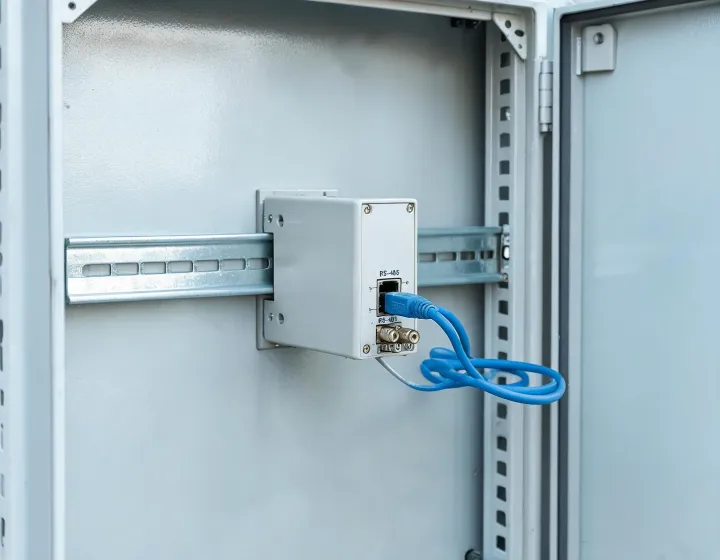
Background: a panel shop must keep an RS-485 meter online while the old serial card is discontinued. Quantity is 8 chassis, destination Ohio, and the outage window is one weekend. Process: the RFQ asks for terminal type, isolation, baud, Ethernet data rate, DIN-rail width, and a statement of new versus refurbished. The shop also lists the documents it will check on arrival: model label, firmware printout, and a loopback note from the supplier. Result: quotes that omit isolation or condition are parked as incomplete. The weekend window is a timing assumption, not a promise this desk can schedule crews. No factory has been audited for the buyer.
Related reading sits on the evidence guide and the procurement note. Start a sheet from the requirement form when the use is clear enough to name a port.